
Graphics · Illustrations

Illustrations that explain the idea before anyone reads a word

A landing page, a pitch slide or a Ramadan promo gets one glance to say what it is about. A good illustration does that work for you: it sets the mood, shows the idea and makes the words around it easier to read. Every pack is an editable vector, so it can wear your brand colours in minutes.

2 packs from $3.00 Commercial license included

01

Show, don’t tell

A picture of the idea lands faster than a paragraph about it — especially on mobile, where people scroll first and read later.

02

Sharp at any size

Vector AI files stay crisp from a phone story to a printed banner. The JPEGs are there when you just need to drop one in.

03

Yours to recolour

Swap the palette for your brand colours and the scene feels made for you, not picked from a library.

Illustrations

Green tech & sustainability

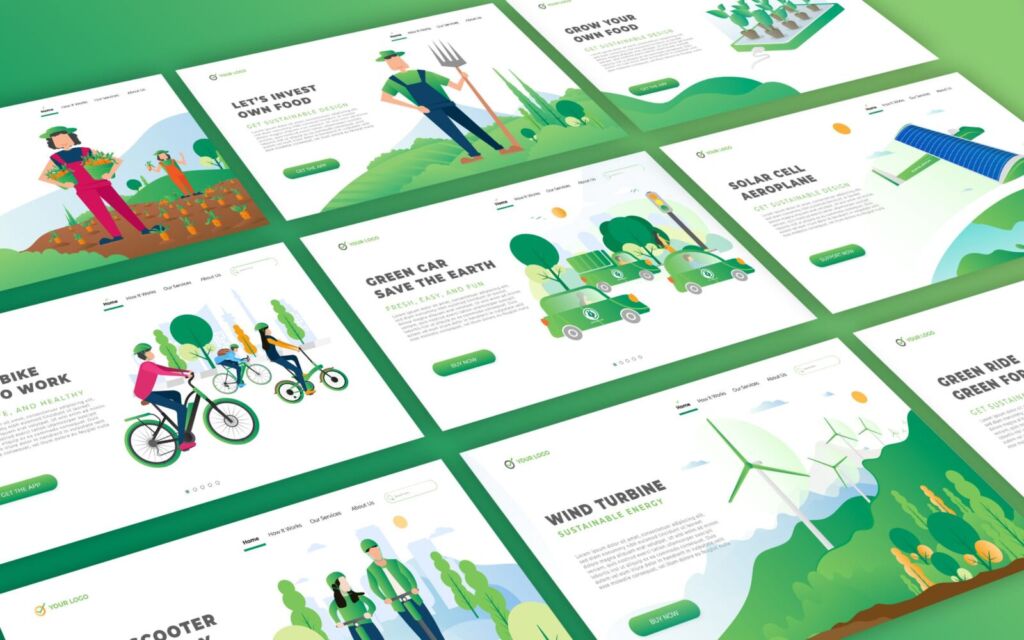
Sustainable Technology Landing Pages

Ten optimistic scenes — electric cars, wind turbines, scooters and urban farming — for brands that want sustainability to feel hopeful, not heavy.

Great for

  • Eco startup landing pages
  • Pitch decks & impact reports
  • Blog and LinkedIn headers

Fonts that fit

A confident black sans for the headline, a light sans for the details.

Original price was: $10.00.Current price is: $3.00. Add to cart See details

Travel, dating & space

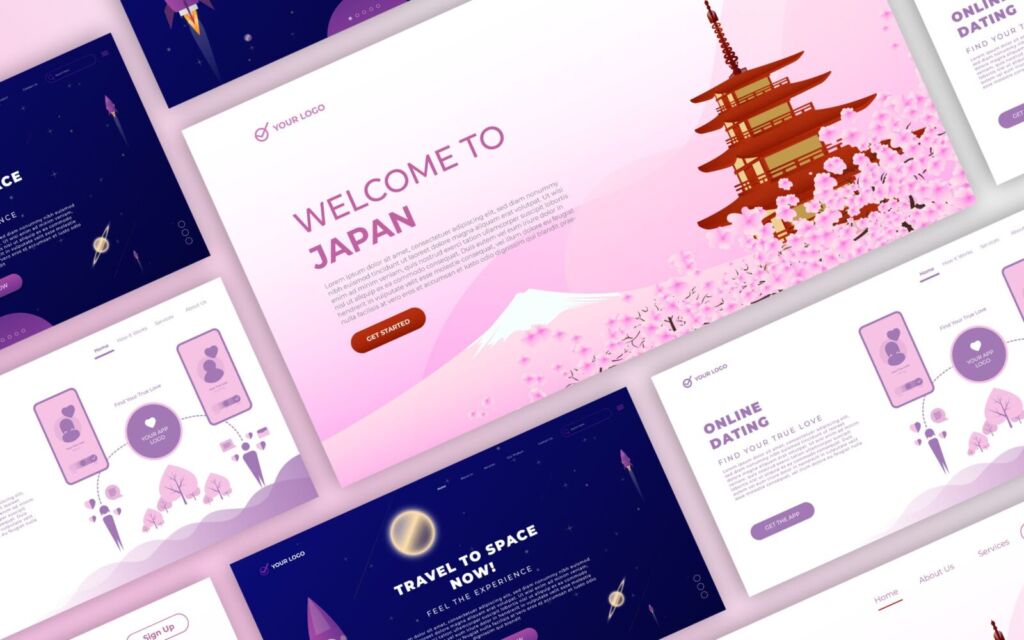
Landing Pages Vector Illustration

Hero scenes for three popular app ideas — a trip to Japan, online dating and space travel. Use a scene whole, or lift one character out for onboarding screens.

Great for

  • App onboarding screens
  • Landing page heroes
  • Course & webinar slides

Fonts that fit

A futuristic display for the big idea, a friendly rounded sans for the UI.

Original price was: $10.00.Current price is: $3.00. Add to cart See details

In every pack

  • Editable vectorIllustrator, Affinity and more
  • High-res JPEGReady to drop in anywhere
  • Commercial useDesktop License included
  • Instant downloadKept in your account

Studio tips

Make a stock illustration look like yours

  1. Pick two brand coloursRecolour the biggest shapes first and keep small details neutral. Two colours read as a brand; five read as clip art.
  2. Crop with intentUse one full scene as the hero and cut single objects out as section icons — one pack can cover a whole page.
  3. Let one font leadA characterful headline font and a calm sans for the body. The illustration already brings the personality.

Good to know

What software do I need?

The AI files open in Adobe Illustrator, Affinity Designer and most vector apps. The JPEGs work everywhere — Canva, Figma, PowerPoint or Google Slides.

Can I use them for a client or a business?

Yes. The Desktop License covers commercial use in up to 5 projects. Reselling or sharing the source files is not allowed.

Can I change the colours and remove elements?

Of course — that’s what the vector files are for. Recolour, crop, rearrange and combine scenes freely.

Need a scene we don’t have yet?

Tell us what you’re making. Requests help us decide what to design next — and we reply by email.

Send a request